



















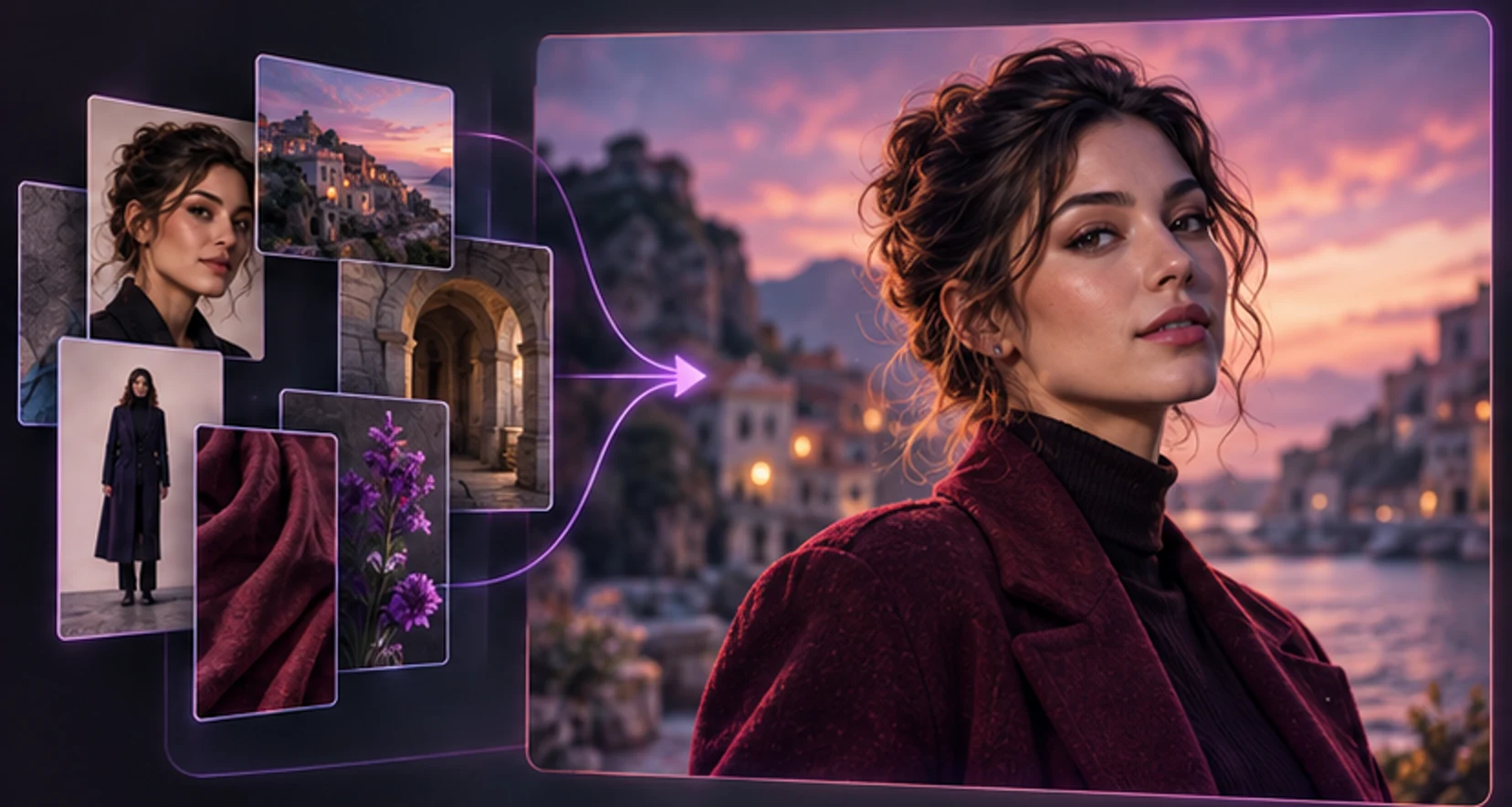
An AI girlfriend image generator has a harder job than a general art tool. It is not enough to create an attractive picture. The result should still look like the same adult character you chose, fit the shared context, follow the requested scene, and avoid distracting anatomical or physical errors.
That combination of identity, instruction, quality and continuity is why vague prompts often disappoint. It is also why the best workflow is iterative rather than maximal. Start from a stable companion, ask for one clear scene, inspect the result, and change one major variable at a time.
This guide explains that workflow for mature adult users without graphic prompt filler. It also covers consent, real-person likeness, storage, retries and cost. For the consumer experience of browsing and receiving character media, see AI girlfriend with pictures.
Understand the three inputs to a character image
Most companion-image systems combine some version of these inputs:
- Character identity: a profile, saved description, seed or reference image.
- Your request: scene, action, clothing, mood, composition and style.
- System instructions: quality rules, safety policy and model-specific formatting.
When identity is strong, your prompt can focus on the moment. When there is no stable reference, every prompt has to rebuild the person, which increases drift.
| Input problem | Typical symptom | Better approach |
|---|---|---|
| Contradictory identity traits | Face or body changes unpredictably | Keep a short stable character description |
| Too many scene demands | Missing props or confused pose | Choose one action and one focal point |
| Conflicting styles | Plastic or incoherent look | Use one visual style per generation |
| Unclear composition | Cropped hands, face or outfit | Specify portrait, half-body or full-body |
| Identity and scene rewritten together | Character no longer matches | Preserve identity; edit only the scene |
Generation remains probabilistic. A good process raises consistency; it does not promise that every output will be flawless.
Build a prompt in six clean parts
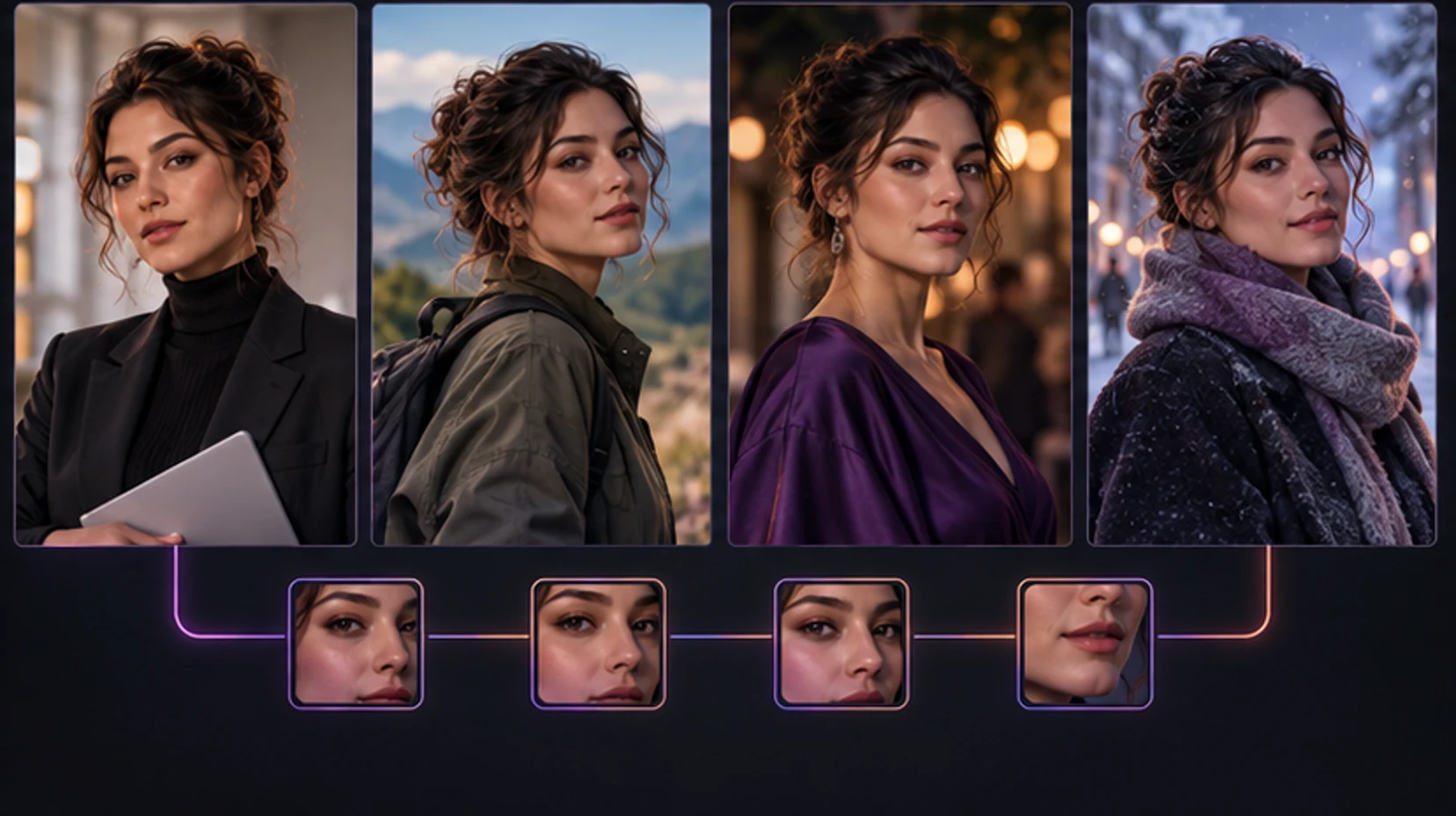
Use this order:
scene → action → outfit → composition → mood → lighting
For example:
“In a quiet hotel lounge, sitting beside a window with a book, wearing an elegant black evening dress, waist-up portrait, confident and playful mood, warm low-key cinematic lighting.”
That request gives the system a place, one action, visible clothing, framing and atmosphere. It does not repeat the companion's eye color six times if identity is already supplied.
Another example:
“On a bright apartment balcony at breakfast, leaning on the railing and looking toward the camera, casual white shirt and jeans, three-quarter portrait, relaxed intimate mood, soft morning light.”
If the product offers option buttons, treat them as prompt components. Choose a pose and clothing option that physically make sense together. “Running while seated” is not made coherent by more adjectives.
Avoid negative-prompt dumps copied from unrelated tutorials. They can conflict with provider controls and make failures harder to diagnose. State the desired result positively, then refine the observed problem.
Preserve identity across a personal gallery
Choose four stable identifiers: adult age range, facial structure, hair, and one distinguishing detail such as freckles or a specific eye color. Clothing and location should change; the core person should not.
Use a reference ladder:
- Anchor portrait: clear face, simple lighting, no heavy occlusion.
- Half-body check: verifies face and body presentation together.
- Full-body check: tests proportions, stance and clothing.
- Scene variation: changes background while preserving identity.
- Lighting variation: tests whether the character survives a new mood.
Do not use a distorted generation as the next reference simply because it is recent. Return to the strongest anchor. Small errors compound when one generated image becomes the basis for another.
Compare results using the same checklist, not just attraction:
- face shape and feature placement;
- hair color, length and texture;
- adult age presentation;
- body proportions;
- skin details and distinctive marks;
- jewelry or accessories meant to persist;
- overall visual style.
If two core traits drift, regenerate from the anchor with a simpler request. If one minor detail drifts, decide whether it matters to your gallery before spending again.
Inspect anatomy, pose and physical logic
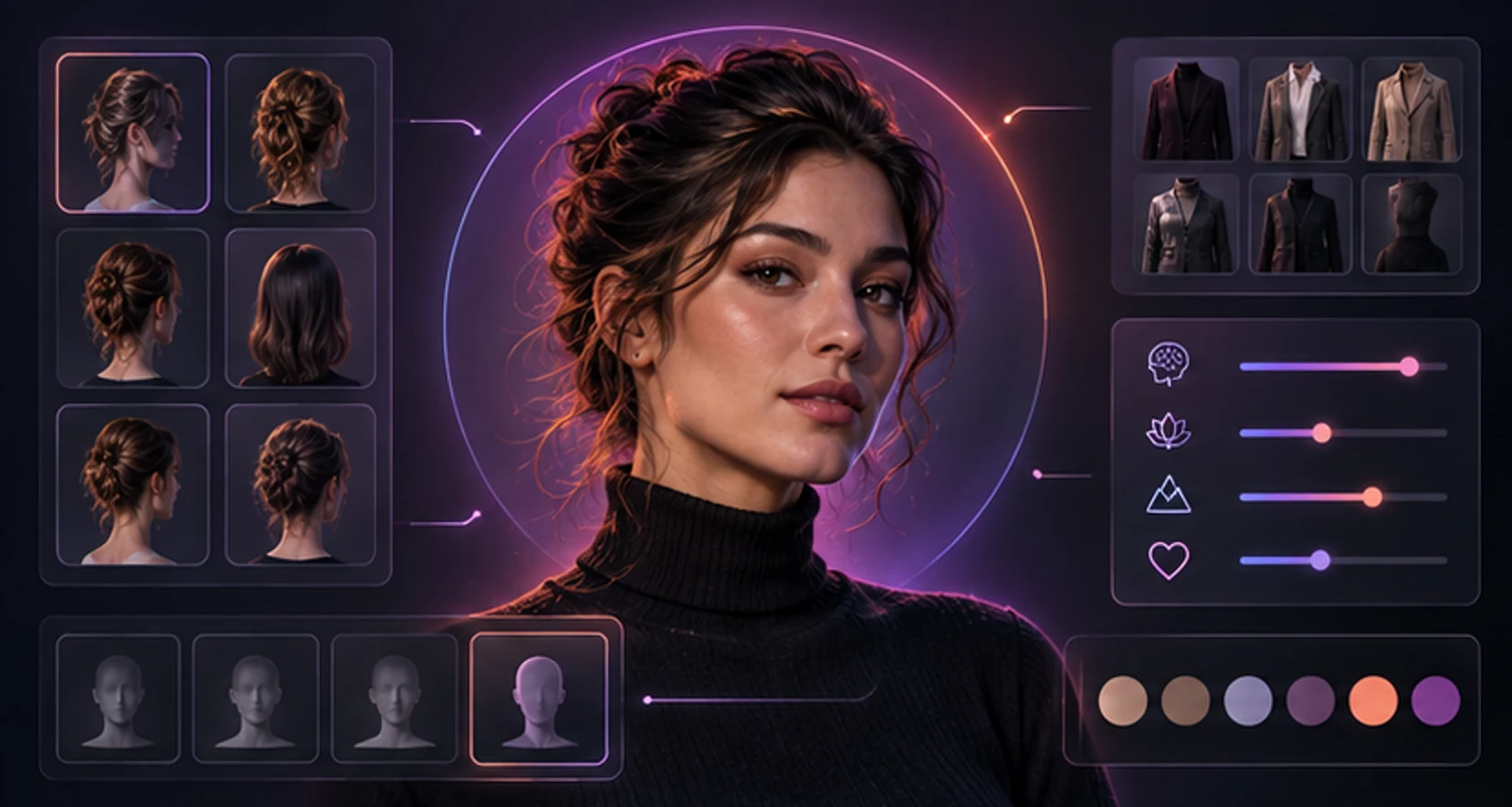
Look at full resolution. Start with the head and move outward.
Head and face
Check eye direction, iris shape, teeth, ears, hairline and the transition between hair and background. Strong beauty lighting can hide asymmetry at thumbnail size.
Hands and limbs
Count fingers only as a first step. Check where wrists join, whether elbows bend naturally, whether a hand actually grips an object, and whether overlapping limbs belong to the correct side.
Torso and pose
Follow the spine through shoulders, waist and hips. Ask whether the weight-bearing leg supports the body and whether furniture contact makes sense. Extreme poses increase failure risk.
Clothing and objects
Trace straps, seams, jewelry and glass edges. Inspect reflections, mirrors and printed text. A scene can be aesthetically strong but still contain an impossible necklace or duplicated cup.
Use three labels: keep, usable with minor flaw, regenerate. Regenerate when identity, anatomy, consent cues or the main requested action fails. Do not chase microscopic perfection that nobody will notice in the intended display size.
Refine one variable at a time
When a result misses, name the largest error. Then change only the related instruction.
| Miss | Next request |
|---|---|
| Face drift | Return to anchor; simplify scene and lighting |
| Wrong crop | Specify framing and visible body area |
| Busy background | Ask for a simple environment with one focal point |
| Outfit mismatch | Use one garment description without alternatives |
| Awkward pose | Choose a neutral seated or standing action |
| Flat mood | Adjust expression and lighting, not identity |
| Poor object interaction | Remove the prop or describe one hand action clearly |
Save successful prompt components. Do not save a single enormous “master prompt.” A small library of scenes, compositions and lighting styles is easier to combine and debug.
For a series, create a shot list before generating: establishing portrait, everyday scene, dressed-up scene and one close-up. This prevents random spending and creates a gallery with variety rather than five near-duplicates.
Handle adult content, consent and likeness responsibly
Adult image generation carries responsibilities that do not disappear because the output is synthetic. Every depicted character must be unambiguously an adult. Follow the provider's content policy and local law. Do not request exploitative or coercive content, and never use a child's image or youth-coded description.
Do not upload or imitate a real person's face for intimate content without explicit, informed permission. That includes partners, creators, coworkers, former partners and public figures. The U.S. Copyright Office's work on AI has specifically examined the threat from realistic but false depictions of individuals and recommended federal protection against unauthorized digital replicas. See its Copyright and Artificial Intelligence materials.
A fictional character design is the safer default. If a tool invites a selfie upload, read the terms before assuming the resulting character or image is private, owned, or deletable on demand.
Check privacy before uploading a reference
An image can contain more data than the visible person. Backgrounds may reveal a home, workplace, school, badge, reflection or location. File metadata may contain device or location information, although platforms may remove it.
Before upload:
- crop unnecessary background;
- remove IDs, screens, addresses and bystanders;
- use a copy rather than your only original;
- confirm you have permission from every identifiable person;
- review retention, subprocessors, training use and deletion;
- check whether generated media is public, private or link-accessible;
- understand what happens after account cancellation.
Regulators emphasize transparency around the purpose of processing, retention and recipients of personal data. The ICO's AI transparency guidance provides a useful framework for evaluating a provider's explanation.
Use a unique account password and secure the linked email. The FTC's account guidance recommends long passwords and two-factor authentication when available.
Budget for retries without rewarding poor reliability
Images may be included with a plan, purchased with credits or charged per generation. Ask whether one “generation” returns one image or several variants, and whether upscale or edit actions cost more.
Before confirming, the product should show:
- action cost;
- current balance;
- expected output type;
- whether the request is queued;
- cancellation behavior;
- retry or restoration policy after technical failure.
Separate a creative miss from a technical failure. If the service returned a valid image that did not match your taste, it may still count. If it timed out, produced no accessible file or failed its own safety check before generation, the provider should explain how credits are handled.
Set a per-scene retry limit. After two failures, simplify the request rather than sending it unchanged. Track kept images, not total outputs. Cost per useful image is a better measure than cost per button press.
Create a repeatable quality workflow
Use this sequence:
- Choose or create a clearly adult companion.
- Select the strongest, simplest identity reference.
- Write one scene using the six-part prompt structure.
- Review the displayed cost and privacy state.
- Submit once and wait for the final job status.
- Inspect identity, anatomy, pose, objects and requested details.
- Save the result or identify one main correction.
- Retry with one targeted change.
- Organize accepted media by character and scene.
- Delete rejected or sensitive uploads when controls allow.
Do not submit repeatedly because a loader looks slow. Parallel duplicate jobs can spend credits and create confusing results. A responsible interface should preserve job state when you navigate away and return the finished media to the related conversation or gallery.
Choose the tool by the whole experience
Control composition before adding style
Composition determines what the generator must solve. A close-up needs facial consistency and skin detail. A full-body image adds limbs, stance, clothing and environment. An action scene adds physical relationships. Start at the simplest composition that serves the idea.
Use camera language sparingly but precisely. “Eye-level waist-up portrait” is clearer than a list of lens brands. “Full-body with both feet visible and space around the subject” reduces accidental crop. “Character on the right, open background on the left” is useful for banner text. State vertical, square or wide orientation before scene detail.
Place the focal action where it can be seen. If the character is holding coffee, a tight face close-up hides the cup; a full-body city scene makes the hand too small to inspect. A waist-up table composition fits the request. Prompt success begins with a physically compatible frame.
Style comes afterward. Choose one: natural editorial photograph, cinematic portrait, polished illustration, anime or another coherent direction. Stacking “photorealistic anime watercolor 3D film still” asks for incompatible visual rules and increases identity drift.
Build a reusable scene library
Organize prompts into components instead of copying a single block.
| Component | Examples |
|---|---|
| Everyday place | Kitchen counter, bookstore, balcony, quiet café |
| Simple action | Reading, stirring a drink, adjusting a jacket, looking back |
| Composition | Close-up, waist-up, three-quarter, full-body |
| Mood | Relaxed, mischievous, confident, thoughtful |
| Light | Soft morning, window light, golden hour, warm evening |
| Occasion | Casual morning, dinner date, weekend trip, celebration |
Select one item from each relevant row and remove any that conflict. Preserve the character through the reference, not repeated prose. After a successful result, save the component combination and note which detail was essential.
Vary scenes deliberately. Create an everyday set, an outdoor set and an evening set. If every prompt uses neon bedrooms, the gallery cannot demonstrate consistency under natural light. Range helps expose whether the system learned the character or merely one aesthetic.
Diagnose identity drift with controlled pairs
Generate two images that change only one variable: same café scene in morning and evening light, or same lighting with casual and formal clothing. Compare the face and age presentation. If identity changes when lighting changes, the reference signal may be weak. If drift occurs only with complex full-body poses, reduce pose difficulty.
Then run a distance pair: waist-up and full-body in the same environment. Fine facial detail will naturally be lower in the wider shot, but structure should remain recognizable. Do not confuse resolution with identity.
Use the accepted anchor after every failed pair. Feeding a drifted image back as reference can establish the wrong face. Keep rejected outputs outside the reference set even if their backgrounds are beautiful.
Review sensitive outputs before displaying or sharing
Adult images require the same quality inspection plus explicit age and consent checks. Stop if the result has ambiguous age presentation, unexpected extra people, coercive context or a real-person resemblance you did not intend. Do not attempt to “edit around” a prohibited result; discard and report it through the service.
Inspect thumbnails before they appear in notifications, chat lists or shared galleries. A private full-size file can still leak through a preview. Use neutral filenames and avoid embedding prompts containing private details.
When sharing consensual fictional media, preserve enough context that viewers understand it is generated. Never use a generated picture to impersonate a person, prove an event or harass someone. Distribution changes the risk even when creation was private.
Measure iteration efficiency
For ten planned images, record first-pass acceptance, average retries, technical failures and total credits. Separate technical failure from a valid creative miss. Then calculate:
- acceptance rate = kept images divided by completed outputs;
- technical reliability = completed jobs divided by submitted jobs;
- average retries = extra completed jobs divided by final kept images;
- useful-image cost = total spend divided by kept images.
These measures identify different problems. Poor reliability calls for provider support. Low acceptance with high reliability may mean the prompt or reference needs work. High acceptance but high cost may make curated media a better choice.
Do not optimize until art becomes accounting. Use the figures for a bounded purchase decision, then return to creating. The purpose is a coherent personal gallery, not maximum throughput.
Plan a coherent four-image set
Instead of improvising every request, plan four scenes that test identity and tell a small story.
- Anchor: a clean waist-up portrait in neutral light.
- Everyday: an ordinary activity with one simple object.
- Occasion: a different outfit and evening light.
- Environment: a wider composition in a distinctive place.
Generate the anchor first. If it does not match the companion, stop. Once accepted, preserve it as the visual reference and vary one dimension per scene. The everyday image tests object interaction. The occasion tests clothing and lighting. The environmental image tests full-body proportions and background integration.
Write acceptance criteria before generation: same face, clearly adult, requested framing, natural hands where visible, one coherent object interaction and no unintended text. Criteria stop you from accepting identity drift just because lighting is attractive.
Prompt troubleshooting by symptom
If a result is too posed, request a candid action and off-center composition. If it is visually flat, add a single directional light source and a specific time of day. If the background competes with the character, remove secondary objects and ask for shallow depth of field. If clothing changes, use one garment and color without alternate options.
When the system ignores a small detail, decide whether it affects the scene. Repeating an entire job to change an earring may be poor value. When it ignores the character identity, simplify immediately. Identity is foundational; accessories are optional.
Avoid instructions that describe incompatible camera positions. “Close-up full-body portrait” conflicts. Choose close-up, waist-up, three-quarter or full-body. Ask for visible hands only when hands contribute to the scene; hiding them in every image avoids errors but makes a monotonous gallery.
Separate editing from regeneration
A full regeneration creates a new interpretation. An edit should change a region or property while preserving the rest, if the product supports it. Use editing for background cleanup, modest wardrobe correction or removing a distracting artifact. Use regeneration when face, anatomy, pose or the core action fails.
Before editing, preserve the accepted original. Multiple edits can soften detail or introduce inconsistency. Compare at the intended display size and stop when the image serves its purpose.
Upscaling cannot repair incorrect anatomy or restore a different identity. It adds or reconstructs detail around what already exists. Approve composition and character first, then pay for higher resolution only if download or large display matters.
Maintain provenance without exposing private prompts
For each kept image, record character, date, whether it was curated or custom, the broad scene and generation job identifier. This is enough to find support evidence and distinguish generated content later. Do not embed a sensitive full chat transcript in filenames or public metadata.
If you share an image, label it as AI-generated where viewers might reasonably mistake it for a real person or event. Do not remove a platform disclosure to make a fictional adult look like an unaware real person. Context is part of responsible media use.
Check download metadata and filename before sending. A harmless-looking filename can contain an account or job identifier; a screenshot can include surrounding chat. Crop carefully and share only the image you intend.
Compare providers with controlled requests
Use the same fictional adult character concept and three non-sensitive scenes. Do not assume identical prompts will produce identical interpretations, but keep requirements stable enough to compare.
| Measure | What to record |
|---|---|
| Identity success | Accepted images that still look like the anchor |
| Instruction success | Main scene, outfit and composition followed |
| Physical quality | No distracting anatomy or object failures |
| Wait and state | Clear pending, success and failure progression |
| Recovery | Retry or restoration after technical failure |
| Privacy | Understandable storage and deletion |
| Value | Total spend divided by images kept |
Do not publish a provider ranking from three requests; the sample is for your purchase decision. Generation varies. Test only within a budget you are comfortable treating as entertainment spend.
A pre-generation brief
Write six lines before spending: character anchor, purpose of the picture, setting, single action, framing and acceptance criteria. Add the maximum retries you will fund. This brief prevents prompt drift after an attractive but incorrect result.
After generation, describe the largest failure without emotional language: “face differs from anchor,” “left hand does not contact cup,” or “full-body request cropped at waist.” A precise diagnosis leads to a precise edit. “Make it better” gives the system no useful priority.
Archive only accepted outputs and the minimum provenance needed to identify their jobs. Remove rejected sensitive results when deletion is available. If a service requires public publishing to save or upscale an image, do not use it for private companion media.
Finally, inspect the result on both desktop and phone. A flaw invisible in a thumbnail may become obvious when opened, while tiny background artifacts may not matter in chat. Judge for the intended use before buying an upscale.
For landscape banners or phone wallpapers, state the target orientation before generation. Cropping a portrait afterward can remove hands, text or the character's face. Generate for the final frame, keep important details away from edges, and preview overlays before accepting.
The best AI girlfriend image generator for you is not necessarily the one that creates the most dramatic demo. It is the one that keeps your character recognizable, accepts clear direction, states the cost, handles failures fairly, stores media where you expect and gives you deletion control.
Image quality also depends on context. A generated picture connected to a conversation can feel more personal than an isolated prompt box. But context should remain under your control; you should know what the request contains and what will be saved.
To try the workflow, select a MyWifu companion, open her chat and choose an image request that fits the current scene. Review plans and credits and privacy before generating. Start simple, keep the best anchor, and let consistency, not quantity, build the gallery.
Frequently asked questions
What is an AI girlfriend image generator?
It is a generative image feature that creates pictures of a virtual companion from a character design, reference image, text request or combination of those inputs. Quality depends on identity consistency, prompt clarity and the generation system.
How do I keep the same AI girlfriend in every picture?
Use a stable character reference, preserve a few defining traits, avoid contradictory appearance instructions, and change one major element at a time. Compare face, hair, age presentation and distinctive details before accepting a result.
What should I include in an AI girlfriend image prompt?
Specify the scene, action, outfit, composition, mood and lighting in that order. Keep the character identity in the reference or stable profile where possible. One clear request usually works better than a long list of competing styles.
Why do AI-generated hands and objects look wrong?
Image systems can produce locally convincing details without fully preserving anatomy or physical relationships. Hands, reflections, text, jewelry and object interactions are common stress points, so inspect them at full size before saving.
Can I generate adult AI girlfriend pictures?
Only within the service's rules and applicable law. Every depicted person must be unmistakably an adult, and you should never create intimate replicas of real people without explicit consent. Avoid exploitative, coercive or prohibited content.
Are uploaded reference images private?
Privacy practices vary. Check whether uploads are retained, shared with generation providers, used for training, visible in a gallery and deleted with your account. Do not upload sensitive or third-party images unless you understand and accept those terms.
What happens if a paid image generation fails?
A provider should explain whether it retries automatically, restores credits or asks you to contact support. Check the policy before generating, record the job status and balance, and avoid repeatedly submitting the same request while a job is pending.
Make it personal
Your type. Your pace. Your story.
Meet an AI wifu who catches your eye, or create her yourself. Start with a hello and see where your imagination takes you.
Discover wifus